
Blog
Restaurant POS System Explained: How One Platform Can Replace 5 Different Tools
-
Posted by
Jigar Doriwala
24
Dec
Table of Contents
Toggle
The One POS System Restaurants Actually Need
Introduction
Running a restaurant in 2025 is not just about serving great food. It is about speed, accuracy, control, and consistency—every single day. However, many restaurants still depend on multiple disconnected tools to manage their operations. One system for billing, another for online orders, a QR menu tool, a kitchen system, and separate reports. This fragmented setup creates confusion instead of clarity. In this complete guide, you will learn how a modern restaurant POS system can replace five different tools, simplify operations, and help restaurants grow faster using one integrated platform like FoodChow.Why Restaurants Still Use Too Many Tools
Most restaurant owners did not plan to use multiple systems. This situation developed slowly over time. First, a billing system was installed. Then online ordering became necessary. Later, QR menus were added. After that, the kitchen needed better order handling. Finally, reports were managed separately. Each tool solved one problem—but together they created a bigger one. As a result, restaurants now struggle with:- Repeated data entry
- Staff confusion during rush hours
- Mismatched sales data
- Limited business visibility
The 5 Tools Restaurants Commonly Rely On
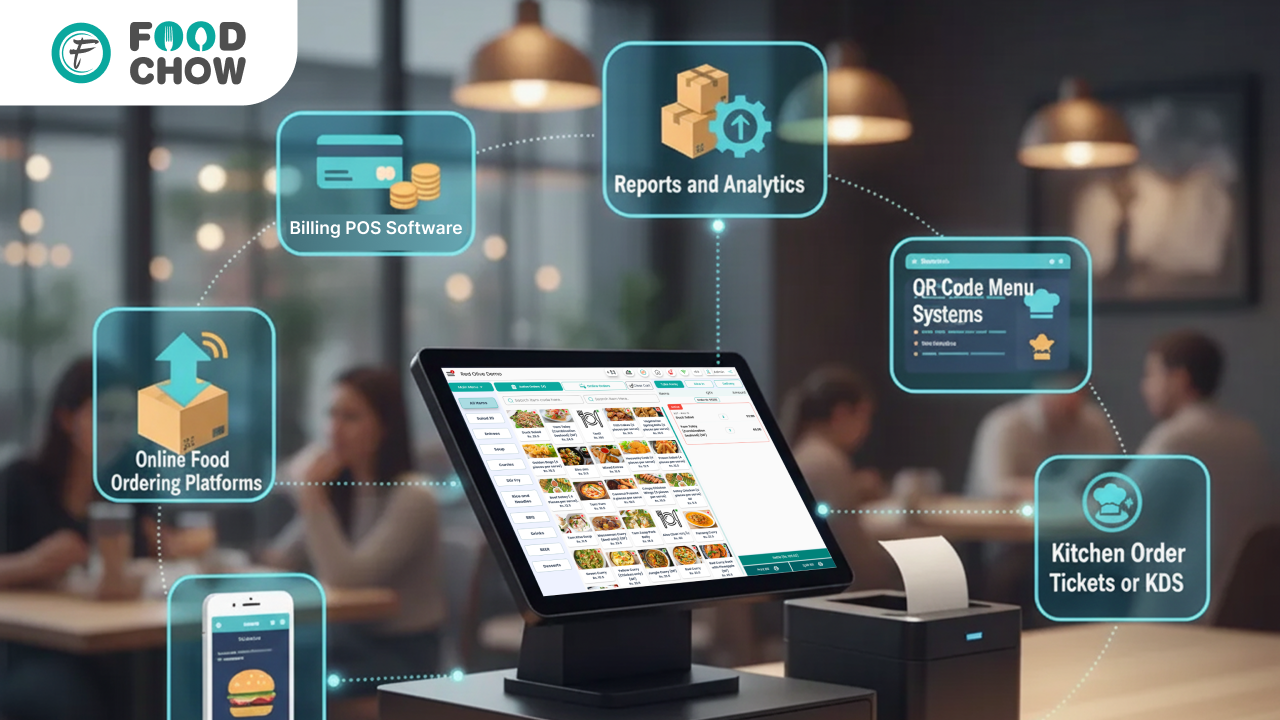
Understanding the problem starts with identifying the tools most restaurants use daily.1. Billing or Counter POS Software
Traditional POS systems focus mainly on billing. Limitations include:- No direct connection with online orders
- Manual menu updates
- Basic or delayed reports
2. Online Food Ordering Platforms
Restaurants often use third-party aggregators or separate ordering websites. Common challenges:- High commission fees
- Orders not synced with POS
- Delayed order processing
3. QR Code Menu Systems
QR menus are now standard, especially for dine-in restaurants. However, many QR systems:- Operate separately from billing
- Require manual menu updates
- Do not send orders directly to the kitchen
4. Kitchen Order Tickets or KDS
Some kitchens still rely on printed tickets, while others use separate KDS software. Problems include:- Lost or unclear orders
- No order priority visibility
- Increased kitchen stress
5. Reports and Analytics
Sales and performance data often live in spreadsheets or external tools. This leads to:- Outdated insights
- Manual data handling
- Decisions based on guesswork
The Hidden Cost of Using Multiple Systems
Using several tools may seem manageable at first. However, the hidden cost grows every month. Restaurants experience:- Slower service speed
- Higher order error rates
- Increased staff workload
- Poor customer experience
- Reduced repeat orders
What a Modern Restaurant POS System Really Is
A modern restaurant POS system is not just billing software. It acts as a central operating system for the entire restaurant. A true all-in-one POS connects:- Billing
- Online ordering
- QR menu ordering
- Kitchen operations
- Reports and analytics
How One POS Platform Replaces 5 Different Tools
1. POS Billing and Order Management
A unified POS manages:- Counter billing
- Dine-in orders
- Takeaway orders
2. Built-In Online Ordering
Instead of third-party platforms, restaurants get:- Branded online ordering
- Direct customer relationships
- Lower commission costs
3. Integrated QR Code Menu Ordering
Customers scan, browse, and order directly from their table. Benefits include:- Faster table turnover
- Reduced staff interruptions
- Consistent menus across channels
4. Kitchen Display System (KDS)
Orders reach the kitchen instantly and clearly. Kitchen teams benefit from:- Live order tracking
- Clear preparation flow
- Fewer mistakes
5. Real-Time Reports and Analytics
Owners access a single dashboard to view:- Daily sales
- Peak hours
- Best-selling items
- Online vs offline revenue
Key Benefits of an All-in-One Restaurant POS
Restaurants using platforms like FoodChow experience:- Lower operating costs
- Faster service speed
- Fewer order errors
- Easier staff training
- Better customer satisfaction
Who Should Use an Integrated POS System
An all-in-one POS is ideal for:- Cafés and QSRs
- Cloud kitchens
- Dine-in restaurants
- Multi-outlet brands
- Delivery-focused businesses
Final Thoughts – One Platform, Total Control
Restaurants do not fail because of lack of effort. They struggle because systems are disconnected. A modern POS system replaces:- Billing software
- Online ordering platforms
- QR menu tools
- Kitchen order systems
- Reporting dashboards
FAQs
What is a restaurant POS system?
A restaurant POS system is software that manages billing, orders, payments, and daily operations from one platform.Can a POS system handle online orders?
Yes. Modern POS systems include built-in online ordering that syncs directly with billing and kitchen operations.Does a POS system support QR code ordering?
Yes. Integrated POS platforms allow customers to order via QR menus directly connected to the kitchen.Is a Kitchen Display System necessary?
Yes. A KDS improves order accuracy, reduces delays, and keeps kitchens organised.Can one POS manage multiple outlets?
Yes. Advanced POS systems support multi-outlet management with centralised reports.Does an all-in-one POS reduce costs?
Yes. It reduces software subscriptions, manual work, and order errors.Is cloud-based POS better than traditional systems?
Yes. Cloud POS systems offer remote access, real-time updates, and better scalability.How does a POS system help restaurant growth?
It improves efficiency, visibility, customer experience, and decision-making.Join the FoodChow Partner Program Today
- Zero investment required
- Training & marketing support included
- Lifetime earnings from your clients
- [Join as a Partner]
Kind Regards,
Jigar Doriwala, Director
Tenacious Techies Pvt Ltd
Whatsapp + 91 99796 19126 | Aus : +61 450 172399
TAGGED
- CONTACTLESS FOOD ORDERING SYSTEM

Jigar Doriwala
Founder, Tenacious Techies
Article by
He is the founder of Tenacious Techies, a leading digital agency servicing clients across the world. Till date, he has helped hundreds of businesses in developing their own website, app ideas and digital marketing. Jigar is a foodie and have developed FoodChow to help restaurants owners to grow their profit and sales. If you are looking to start your own online businesses or want to take your existing business online, contact him today.
All in one POS systembest pos for restaurantBest POS SystemCloud-Based POS SystemFood Ordering SoftwareFoodChow POSFoodChow POS SystemKitchen Display Systemmulti outlet restaurant POSOnline Ordering System for RestaurantsPOS System for RestaurantsQR Code Menu Orderingrestaurant billing softwareRestaurant Management SoftwareRestaurant Operations ManagementRestaurant POS System